Hug Tower TROLL Traps Mobile Tips for Crowded Towers
Thumb layout, hug reach, camera drag, and when to skip peak lobbies.
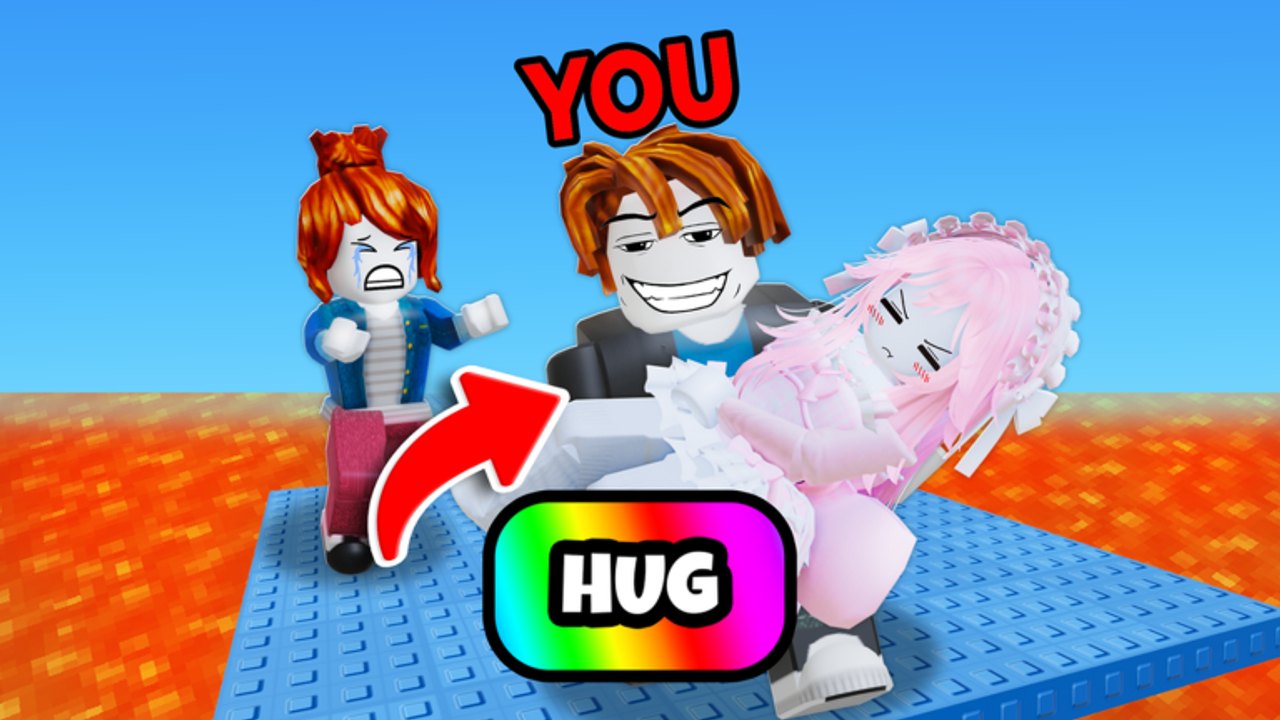
Mobile players clear Hug Tower TROLL Traps every day—the official Roblox experience TROLL Hug Tower by Trash Container does not require a keyboard. What mobile does require is intentional layout. Up to 20 players share lava lips, and the hug control must stay reachable while you still drag the camera and tap coils. This page is the touch-first handbook: thumb zones, UI scale, hotbar habits, battery and network sanity, and when to avoid peak lobbies. Parent hub: Players. Input tables: Controls.
Thumb layout that survives chaos
Default Roblox touch leaves movement on the left and camera on the right. Hug Tower adds a social button that must not fight those zones.
- Anchor movement with your left thumb; keep strafes alive on ledges—standing still is free hug bait.
- Reserve right-thumb reach for camera drag and the hug control. If hug sits under your camera thumb’s rest position, you will mis-tap under pressure.
- Prefer a slight claw or two-thumb discipline on phones: one thumb moves, the other looks, and hug is a deliberate tap—not a smear across jump.
- Tablets get more margin; still keep hug away from the absolute corner you use for frantic look-spins.
- After any UI scale change, re-test hug reach on a safe low floor before entering mid-tower traffic.
If friends ask which control hugs, send them Controls and then return here for layout tuning.
Hug button reach and mis-taps
Most mobile “I got hugged from nowhere” stories are actually “I opened hug while jumping” or “I missed jump and hit hug.”
- Warm up with ten intentional hugs on a wide platform—no lava pressure.
- Practice jump → land → hug as three separate beats. Never hug mid-recovery.
- If your hug control overlaps jump, adjust experience settings or hand posture until those taps diverge.
- For self-defense only, hug when footing is stable and lava favors the attacker—same geometry rules as PC on How to Hug and Throw.
- Decline duels on thin beams; mobile precision is lower when both thumbs are busy.
UI scale and readability
Crowded towers punish tiny hitboxes and giant opaque panels alike.
- Increase scale enough that hug and jump are distinct targets.
- Avoid scales so large that tool hotbars cover the landing you need to see.
- Dim or hide non-essential popups when possible so a gift prompt does not eat a jump input.
- Landscape orientation usually helps camera arcs on phones; portrait is playable but harder for rear checks.
Re-check scale after Roblox client updates—touch targets shift more often than PC keybinds.
Coil hotbar on touch
Speed Coil (8) is still the best cheap mobility buy for running past trolls. On mobile, the binding problem is reach, not theory.
- Put Speed Coil on the nearest tool slot you can tap without releasing move.
- If you own Jump Coil (99), park it on the second-easiest slot—not buried behind cosmetics.
- Swap coils only on stable plates. Mid-air tool taps on touch are how people deploy the wrong item and walk off.
- Unequip when tiny landings overshoot—same discipline as Coils and Mobility.
- Do not open the full shop while perched on a lip; buy from spawn or a safe floor.
Carpets and Grapple follow the same rule: deploy from stability, land centered, then glance behind.
Camera drag without losing the stick
Your camera is half your survival kit.
- Practice drag-look without releasing move—rear checks while strafing matter more than summit tunnel vision.
- On each landing, do a quick left / right / behind sweep before the next jump.
- When you hear a pile-up, look before you leap toward it.
- If drag sensitivity feels slippery, lower it until micro-adjustments on beams feel intentional.
- Pair camera habits with Survival Tips spacing rules: leave platforms that hit three or more players unless you must pass through.
Battery, heat, and network
Mobile sessions fail for boring reasons that look like “skill issues.”
- Heat throttle after long climbs makes jump timing feel mushy—short breaks beat forced clears.
- Low battery modes can tank frame pacing; charge before peak play if you can.
- Unstable Wi-Fi / weak LTE turns hugs into teleport ghosts. If rubber-banding starts, leave the server; do not “one more try” on a lava bridge.
- Headphones help you hear chaos piles earlier than visuals alone.
- Close background apps that steal bandwidth before joining a full 20-player lobby.
When to avoid peak lobbies
Peak concurrent hours on a title with hundreds of millions of visits mean denser public servers, sharper campers, and less forgiveness for touch mis-taps.
Avoid peak when:
- You are learning a new jump line (How to Climb).
- Your hands are cold, phone is hot, or network is shaky.
- You are tilted and about to greed a known fail.
Peak is fine when:
- You only need Speed Coil run-bys and wider lines.
- You accept resets without ego.
- You are practicing survival under pressure on purpose.
Private servers or quieter off-hours remain the best classroom. Public peaks are the exam.
Mini session checklist
- Confirm hug and jump do not share a smear zone.
- Bind Speed Coil to the easiest tool slot.
- Climb one quiet segment scoring only rear camera checks.
- Attempt one contested mid-floor with run-past intent—no chat duels on lips.
- Stop if heat or packet loss appears; progress keeps better than a cooked phone.
Related pages
- Controls — PC, mobile, and console input reference.
- Survival Tips — spacing, resets, anti-troll movement.
- How to Climb — route discipline for crowded towers.
- Coils and Mobility — equip and unequip timing for Speed / Jump Coil.
- Players Hub — survival versus troll playstyle split.
Mobile Hug Tower TROLL Traps is layout plus discipline. Reach the hug button cleanly, drag the camera while you move, keep coils one tap away, and skip peak lobbies when your device or network cannot keep up. Touch players who respect those constraints throw just as well as anyone with a keyboard.
Frequently Asked Questions
Quick answers for Hug Tower TROLL Traps players.
What is the biggest mobile mistake in this game?
Overlapping hug and jump inputs, or forgetting rear camera checks while both thumbs are busy on a crowded edge.
Which tool should mobile players buy first?
Speed Coil at 8 Robux, bound to the easiest hotbar slot so you can run past trolls without releasing movement.
Should I play mobile during peak hours?
Only if your network and device are stable. Learn new routes in quieter lobbies; use peak servers as pressure practice.
How do I check behind me on mobile?
Practice camera drag with your look thumb without releasing the move stick, and sweep left, right, and behind on every landing.
Where are full control tables?
Open the Controls guide for PC, mobile, and console layouts, then return here for thumb-zone and lobby advice.